In this project you'll build a touch sensor. When you touch the sensor, your finger acts as a resistor that creates a current through the base of the transistor so that the LED turns on.
The Circuit
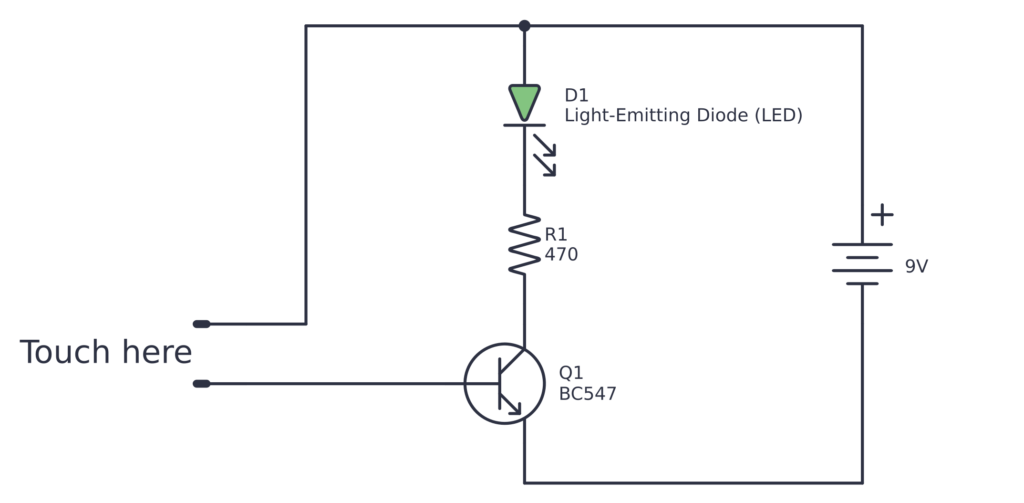
Parts List
| Reference | Value |
|---|---|
| Battery | 9V |
| D1 | Light-Emitting Diode (LED) |
| Q1 | BC547 |
| R1 | 470 |
The Layout
Start by connecting the LED, resistor, and transistor.
Then use two exposed wires, for example some clipped off component legs, to create the touch sensor. One exposed wire goes from plus to an unconnected row. The other goes from base to another unconnected row.
Finally, connect the battery.
Note that if you have very dry fingers, it won't work. Try moisting your finger a bit and test again.
