Several teachers have asked me the same question over the last year: “Can I use Ohmify with my class?”
Until now, the honest answer was “sort of”. You could buy memberships one by one, but you couldn’t see how your students were doing, and you couldn’t decide what they saw.
That’s fixed. Ohmify now has school accounts.
Why I built it
The first reason is simple: people kept asking.
The second one is something I’ve heard again and again when talking to teachers. Many of them never studied electronics or coding. Then one day they’re handed an electronics or Arduino class and told to teach it.
That’s a hard spot to be in. And it’s exactly what Ohmify is good at: taking someone from “I have no idea how this works” to building real circuits, one small step at a time.
So a teacher account isn’t only a way to manage students. You get every course on Ohmify for yourself, and you get our community, where our tutors and other builders answer when a circuit doesn’t work or you’re not sure how to explain something. The goal is that you can walk into the classroom knowing what you’re going to teach, and that it will work.
How it works
You get a teacher dashboard with three things in it:
- Content: tick the courses or single lessons your class should see. Everything else stays closed.
- Students: create student accounts in a minute. They don’t need an email address: you can print a sheet of login names and passwords. School email and Sign in with Google work too.
- Progress: one table shows how far each student has come in each course.
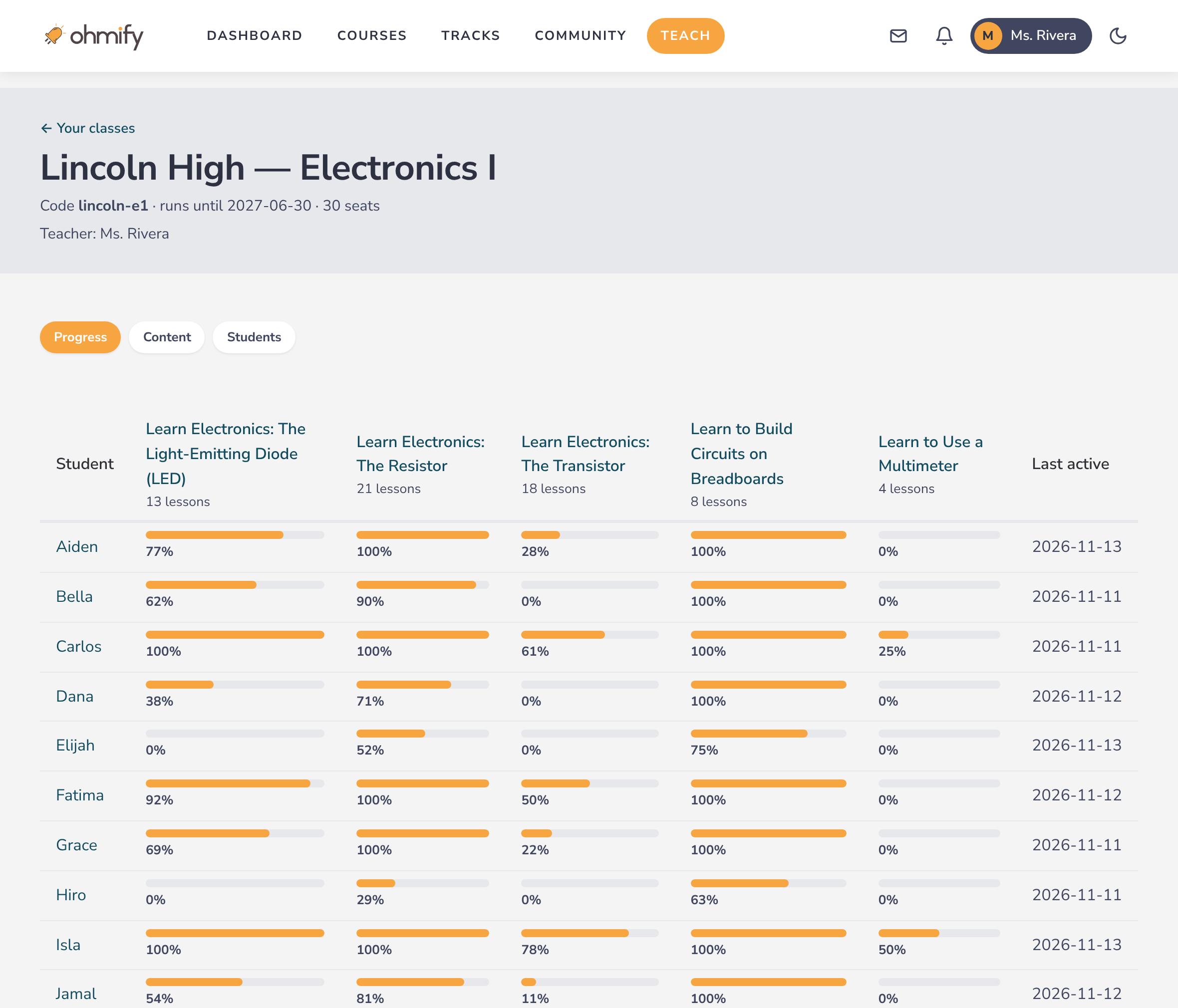
Students see only the lessons you’ve opened and their own progress. They have no access to the community, no messages and no public profile.
A typical lesson looks like this: the students watch a short video, then build the circuit on a breadboard while you walk around and help. Ohmify is the structured part. The classroom is still yours.
Want to see it?
I’ve put everything on one page, including the answers to what a school’s IT or privacy people usually ask:
From there you can book a demo, where I’ll show you the dashboard on a video call, or ask for a quote to pass on to whoever approves purchases at your school.
Homeschooling? There’s a version for families too, where you’re the teacher and your kids are the students: Ohmify for Homeschool.
And if you’re not a teacher but know one who’s been handed an electronics class, send them the link. It might save them a few sleepless nights.
— Oyvind